Filesystem-based agent workflows
Interpretable Context Methodology, ready to run from the CLI.
Create or retrofit a plain-file workspace where every stage has a contract, every output is reviewable, and humans can inspect what the agent is doing before the next step runs.
python -m pip install icm-workspace-template
icm new my-first-icm-workspace --name "My First ICM Workspace"
icm doctor my-first-icm-workspace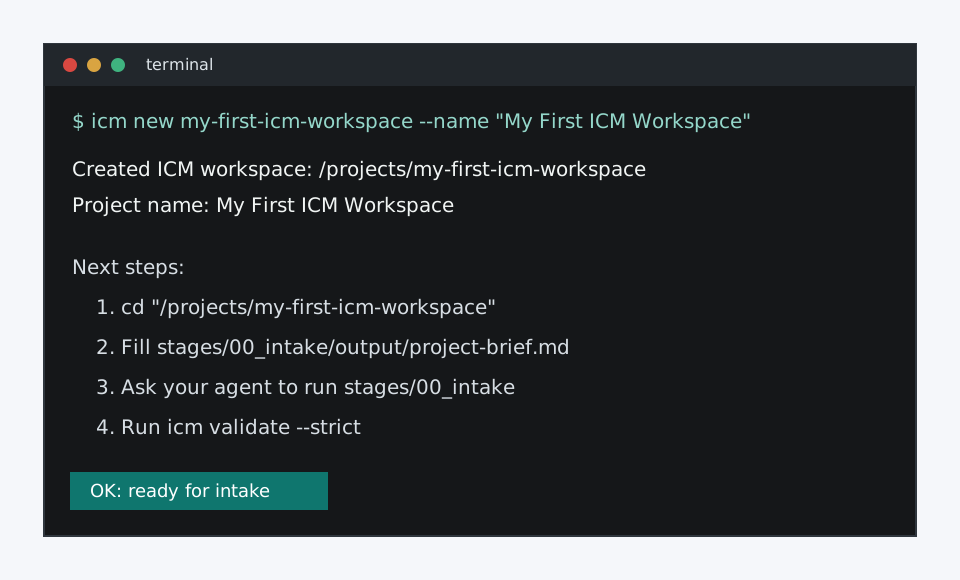
First 10 minutes
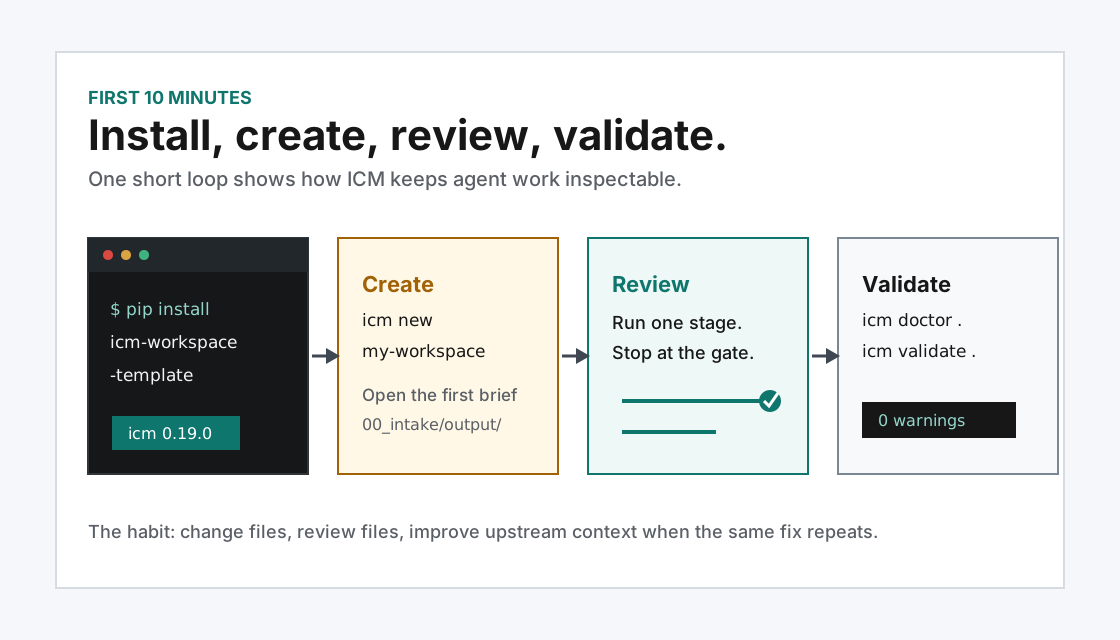
See the whole loop before reading the theory.
The first-10-minutes guide gets a beginner from install to a validated workspace, one review gate, human acceptance in a plain markdown log, and the core habit: run one stage, inspect the output, then continue.
python -m pip install icm-workspace-template
icm new my-first-icm-workspace --name "My First ICM Workspace" --with-common-artifacts
cd my-first-icm-workspace
icm doctor .How the method stays inspectable
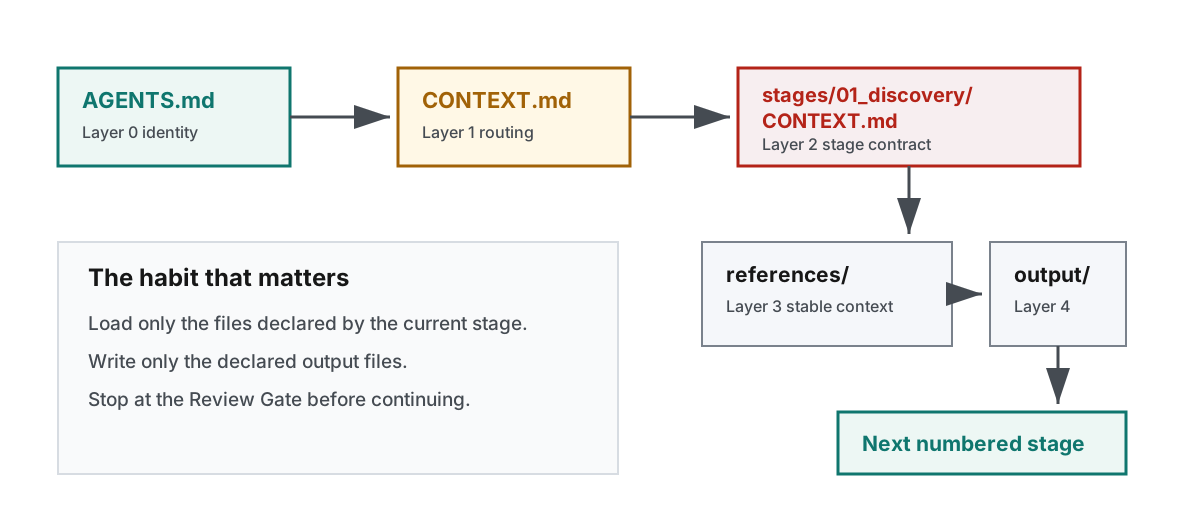
Stages are folders. Contracts are markdown. Outputs are handoffs.
Adopt ICM inside a real project
Add ICM without overwriting your existing files.
icm init copies only missing starter files into the target folder. Existing README, source files, config, and docs stay untouched.
cd my-existing-project
icm init . --name "My Existing Project" --with-common-artifacts
icm doctor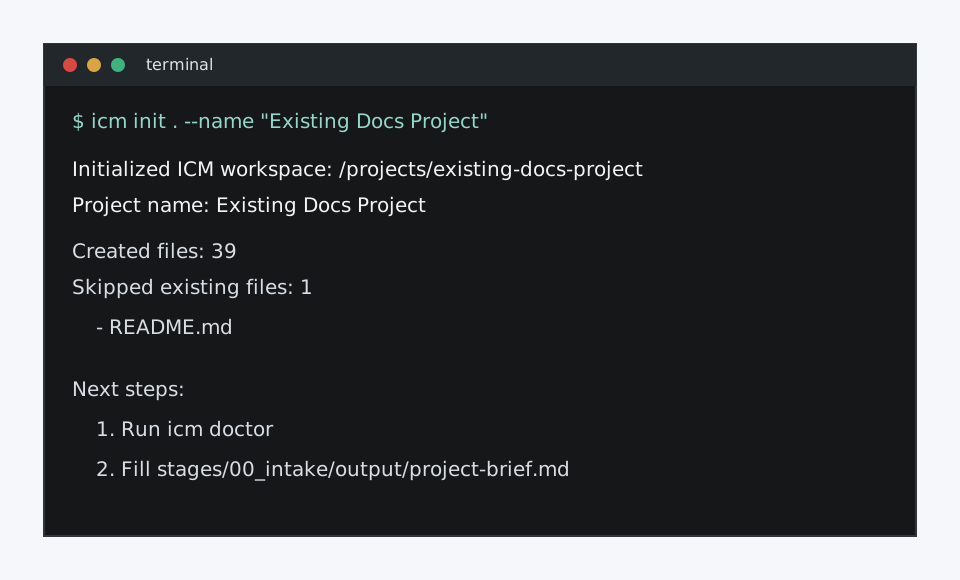
Beginner-friendly diagnostics
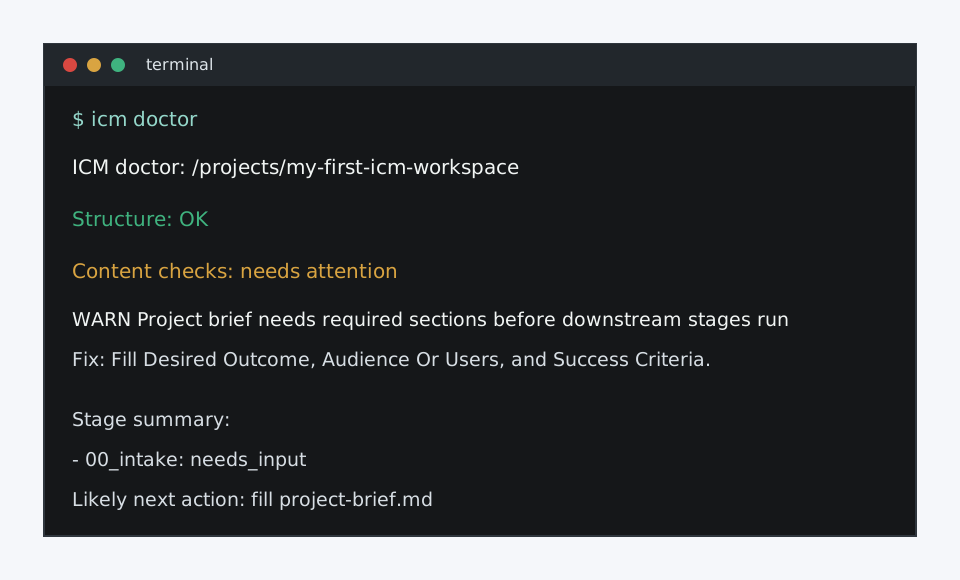
Doctor explains the next repair, not just the failure.
The doctor command checks structure, empty stage sections, undeclared outputs, missing config inputs, broken handoffs after outputs are present, and rubric failures on declared outputs. Review rubrics can also require source citations, table shapes, path counts, and common artifact shapes for important outputs.
- Structure validation with suggested fixes.
- Content checks for stage contracts and intake readiness.
- Traceability checks for outputs that must cite their sources.
- Starter files for source inventories, release calendars, and decision logs.
- Stage summary that points to the next action.
Demo polish
See a completed review before changing your own workflow.
The documentation-refresh and project-planning examples show plain markdown rubrics checking traceability sources, table columns, cited paths, source inventories, calendars, and decision logs. The e2e playtest gives you a complete idea so you can try the full flow without inventing one first.
git clone https://github.com/stickwithfiddle-sys/interpretable-context-methodology-template.git
cd interpretable-context-methodology-template
python -m pip install -e ".[dev]"
icm review stages/01_discovery --workspace examples/completed-documentation-refresh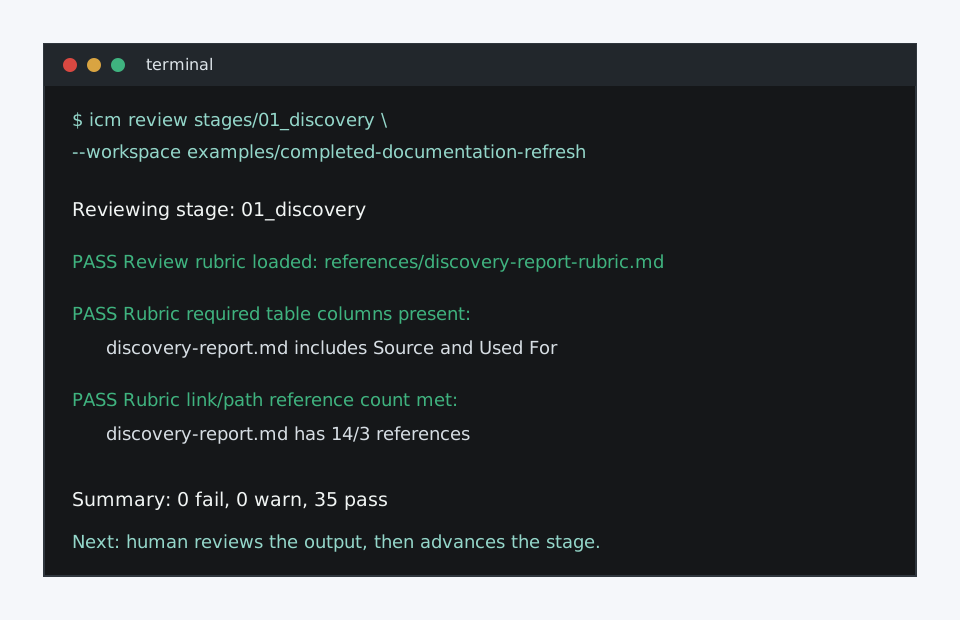
Local dashboard
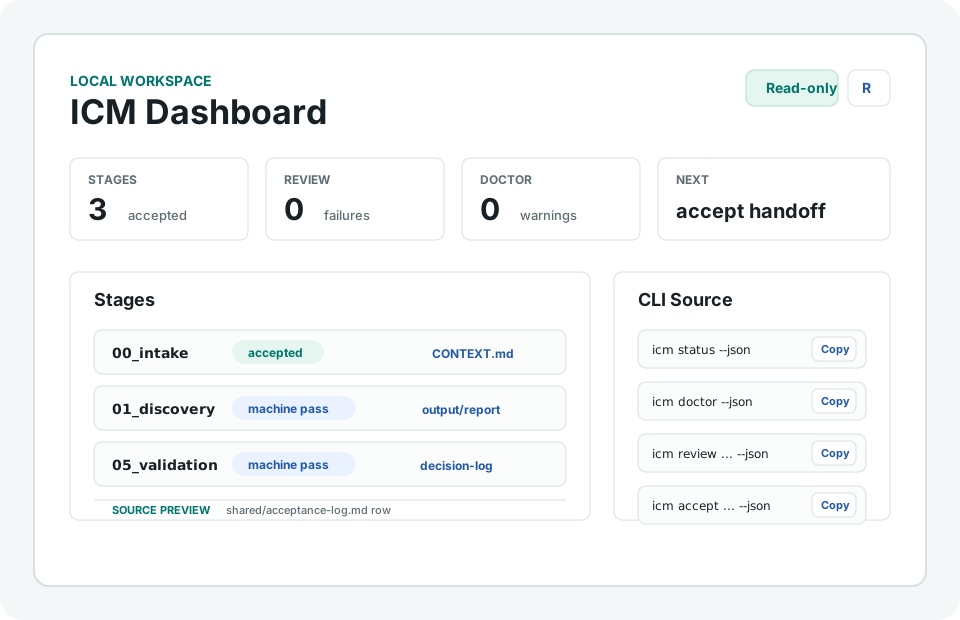
Inspect the same workspace through a read-only browser view.
The dashboard renders stage status, review findings, doctor findings, source links, source-preview excerpts, human acceptance from shared/acceptance-log.md, and copyable review, acceptance, and JSON source commands.
python -m pip install icm-workspace-template
icm dashboard examples/completed-project-planRead next
Docs, example workspace, and release notes.
Product path
CLI contract first, dashboard on the same source of truth.
- Now: PyPI install, CLI onboarding, first-10-minutes walkthrough, doctor checks, source traceability, artifact validators, common artifact starters, JSON output, plain-file human acceptance, a read-only dashboard prototype with copyable commands and source previews, workflow-specific rubric guidance, examples, and docs.
- Next: add a guided visual walkthrough or recorded demo, then line-level dashboard anchors where CLI findings can provide exact rows.
- Later: a local-first read/write dashboard over the same filesystem workspace.